

Lesson 1,
Topic 1
In Progress
Activity: Parrot Fly
One rainy morning, dark clouds rolled in, and droplets of rain started falling from the sky. Parrot, being an adventurous bird, decided to brave the rain and continue her usual routine. As she soared through the forest, the rain wetted her feathers and made it difficult to fly. Now, Parrot needs to dry them by flapping its wings faster.
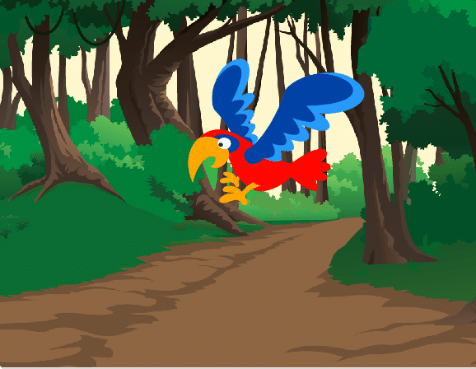
Let us help the Parrot to dry its wings by using the PictoBlox.
Step-by-step
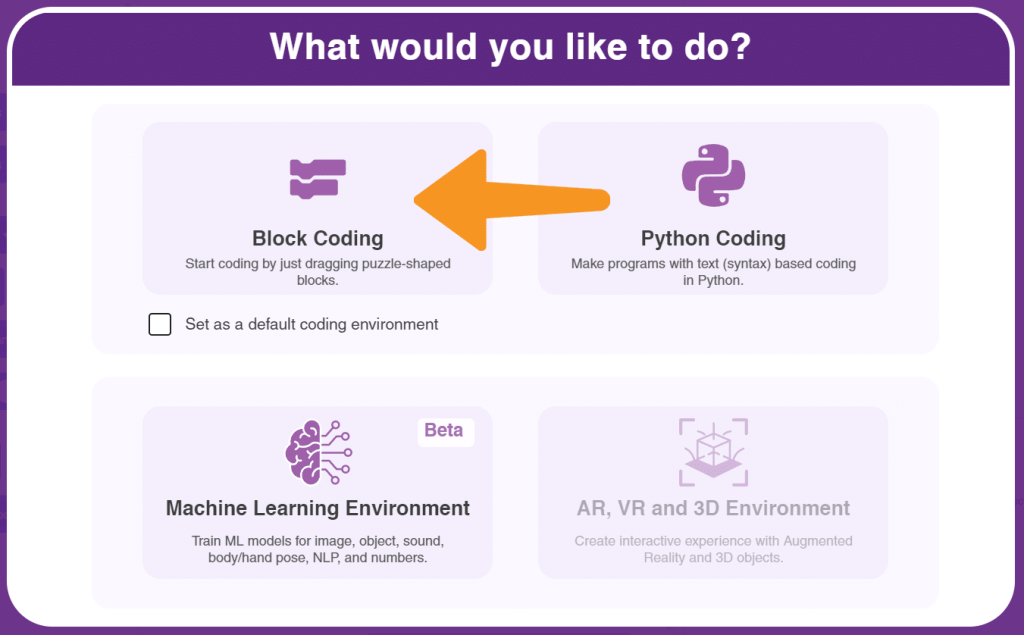
- Open the PictoBlox and select the coding environment as ‘Block’ coding as shown.
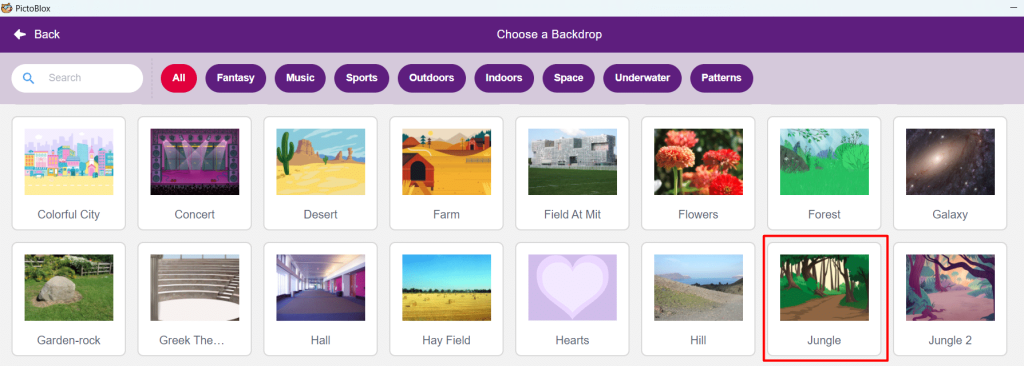
- We are going to help ‘Parrot’ to dry its wings. Firstly, we have to add the jungle backdrop where the parrot lives. Let us choose the ‘Jungle’ as our backdrop.
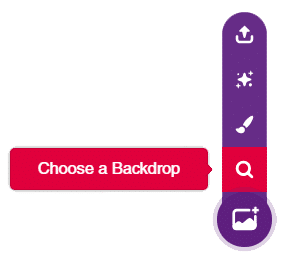
- We will now, click on the ‘Choose a backdrop’ option and select the backdrop ‘Jungle’ as shown below.
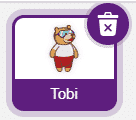
- In our project, we are not going to use the ‘Tobi’ sprite let us delete the ‘Tobi’ sprite by clicking on the Dustin icon.
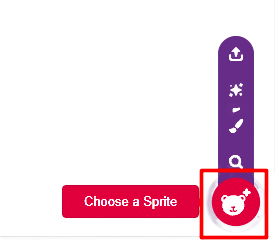
- Now, we have to add our ‘Parrot’ sprite in the ‘jungle’ by using the choose a sprite option as shown below.
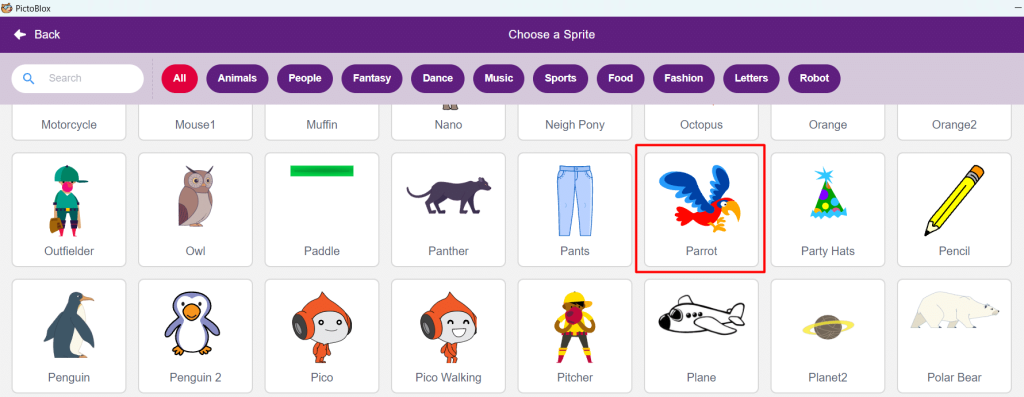
- The stage looks as shown below. It’s time to make our parrot to fly by doing code.
- Select the sprite ‘Parrot’. Open the Motion palette and drag and drop the move (10) steps block in the script area. This block will make our sprite move. In our project, the value is ‘5’. It means the parrot will move 5 steps forward.
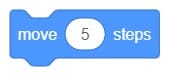
- Click the block Move 5 steps and check whether the parrot is moving 5 steps forward or not.
- Now, let us make the sprite ‘parrot’ move by using the ‘Green flag’ clicked to run and test the code in the full screen.
- Open the Events palette and drag and drop the when flag clicked block into the scripting area and connect it at the top of the move 5 steps block. Next, open the Control palette and drag and drop the forever block below the when flag clicked block.
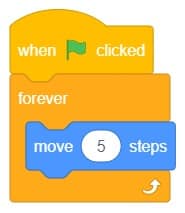
- The parrot gets stuck up at the end of the stage. We have to make it to bounce back.
- Open the Motion palette and drag and drop the if on edge bounce block in the script area. This block will make our sprite parrot to bounce back.
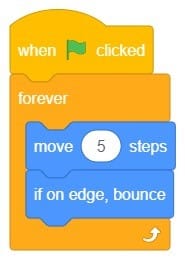
- Oh! no, my parrot is moving upside down. No worries, we can change its rotation with the help of the ‘Set rotation style block’. This block helps our parrot to fly properly.
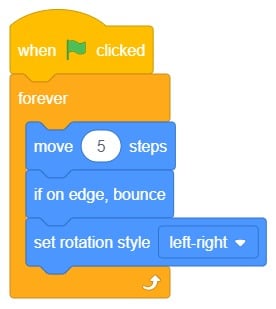
- My parrot is not opening its wings!! What should I do to make it open the wings? Oh! I got it I have to change its costume by using the ‘next costume’ block.
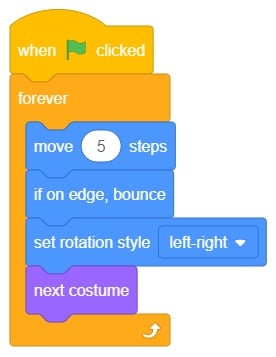
- Oh! No. Now, it is flapping its wings faster. I need to reduce its speed. We can use the Wait 1 seconds block to reduce its speed.
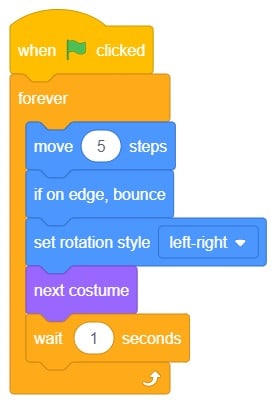
- Let’s run and test the code by clicking on the ‘Green flag’
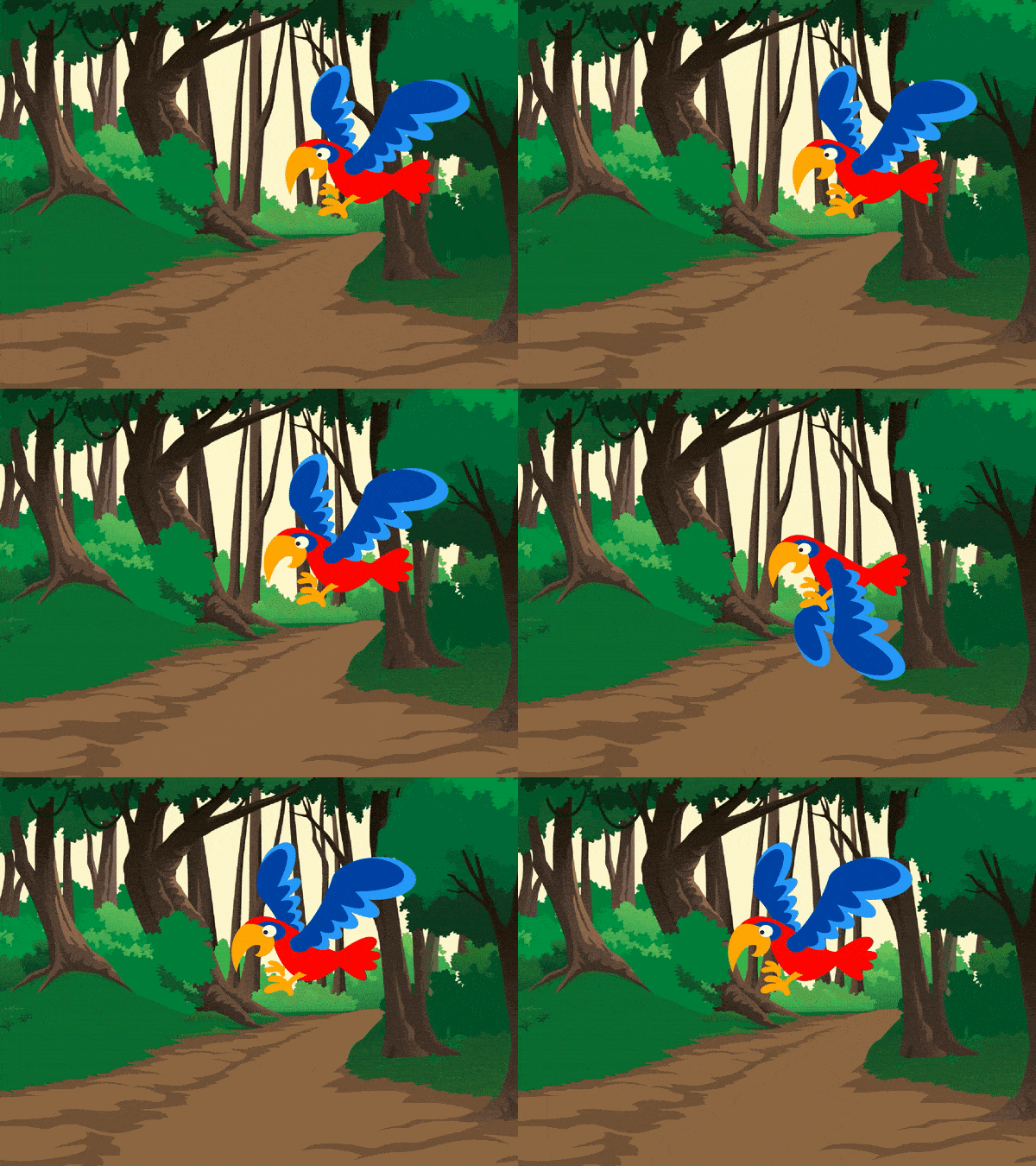
- Finally, my parrot is flying happily and its wings are also slowly getting dried.
Output
Save your program
Let us save the project with the file name ‘ Flying Parrot’.