

Lesson 1,
Topic 1
In Progress
Activity: Find the hidden apple – part 2
John, a fan of the classic “hide the coin in hand” game, took great pleasure in the anticipation and excitement of discovering which hand held the hidden coin. Intrigued by this game, he set out to recreate the same thrill by utilizing PictoBlox. With his creative skills, John devised a project where he would hide an apple sprite within the PictoBlox software, challenging players to find the hidden apple with a sense of wonder and excitement.
Step-by-step Procedure
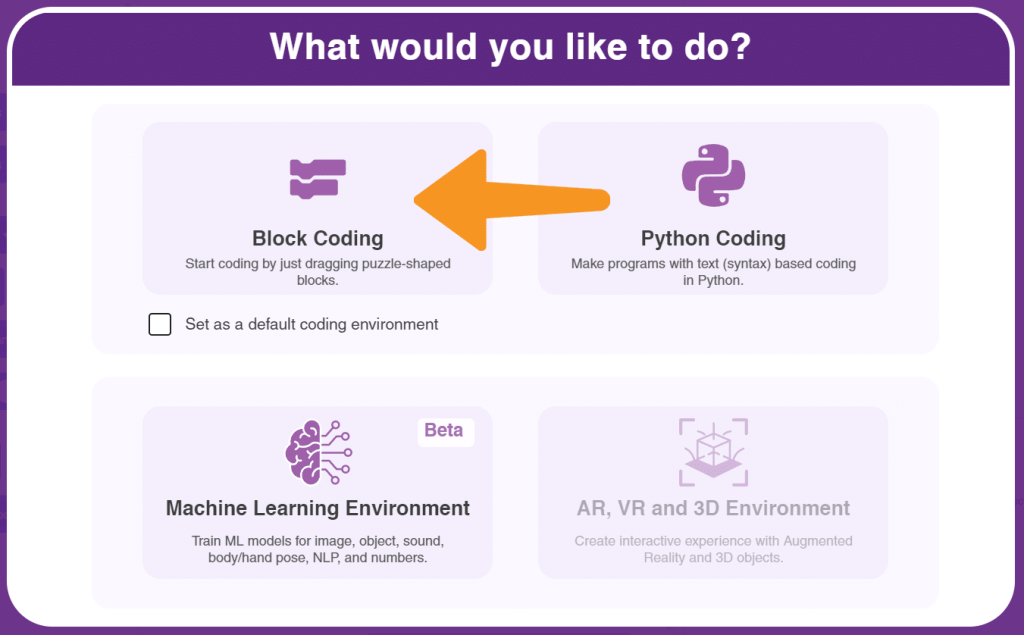
- Open a new file in the PictoBlox and select the coding environment as Block coding as shown.
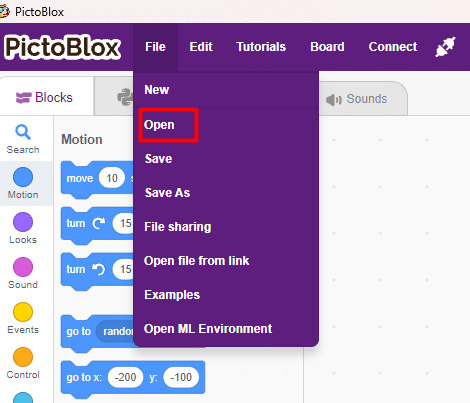
- Click on the File option on the left corner and select the Open option.
- Select the open from computer option from the right corner.

- select the File Location and select the ‘Find the hidden apple-1’ file.
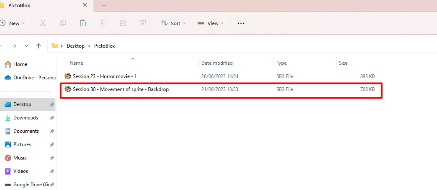
- Select the open from computer option from the right corner.
- The project will open on the PictoBlox
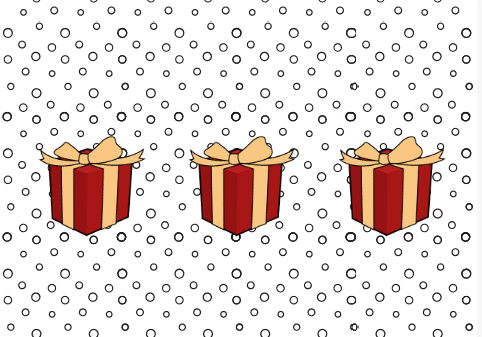
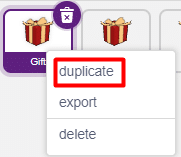
- Right click on the Gift2 sprite on the Sprite panel and select duplicate Gift3 sprite will appear on the stage and Sprite panel as well.
- Let us add the apple costume to the Gift3 Click on the Costumes tab on the left corner of the screen and click on Choose a Costume option on the left bottom corner and type the apple in the search box and select Apple sprite.
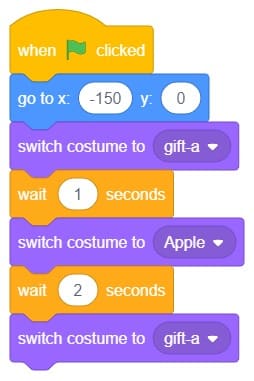
- Now, let us change the value of go to x: (150) y: (0) to go to x: (-150) y: (0).

- Let us initially set the costume to Gift after a second will show the Apple costume and again will back to the Gift costume.
- Let us code by adding switch costume to (gift-a) block from the Looks palette and will wait by adding wait (1) seconds block from the Control Again, let us add switch costume to (Apple) block from the Looks palette and let us add wait (1) seconds block from the Control palette. Finally, we will add switch costume to (gift-a) block from the Looks palette.
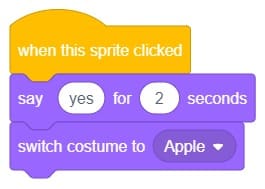
- Let us change the say (no) for (2) seconds to say (yes) for (2) seconds.
- Finally, let us add the switch costume to (Apple) block from the Looks palette next to the say block to show the Apple costume to the player when the sprite is clicked.
Output

Save your program
Let us save the project with the file name ‘Find the hidden apple – 2’.